- >Best Crypto Wallets
- >Trezor Safe 3 Wallet Review
Trezor Safe 3 Wallet Review
The Trezor Safe 3 Wallet is a top-notch hardware wallet you can use to protect your digital assets.
This new addition to the Trezor family promises enhanced security and usability, catering to the evolving needs of cryptocurrency enthusiasts and investors. In this review, we will closely dissect its features, security measures, user interface, cryptocurrency support, and more.

Trezor Safe 3 Overview

- The new entry-level Trezor wallet
- Passphrase and secure element for maximum security
- Available as a universal wallet or Bitcoin only
- Supports over 8,000 coins and tokens
Trezor Safe 3 Wallet Pros & Cons
Pros
Beginner friendly with user-friendly interface
Reliable self-custody technology
Compact and portable design
Durable aluminum finish
Cons
Screen could be brighter
Still uses some plastic elements
Not compatible with iPhone
Trezor Safe 3 Hardware Wallet Overview
The Trezor Safe 3 hardware wallet represents a significant milestone in the realm of cryptocurrency security.
Launched by Trezor, a well-established name in the crypto industry, it is explicitly designed for newcomers to the world of digital assets.
With its sleek design, user-friendly interface, and emphasis on simplicity, it makes cryptocurrency self-custody accessible to a broader audience.
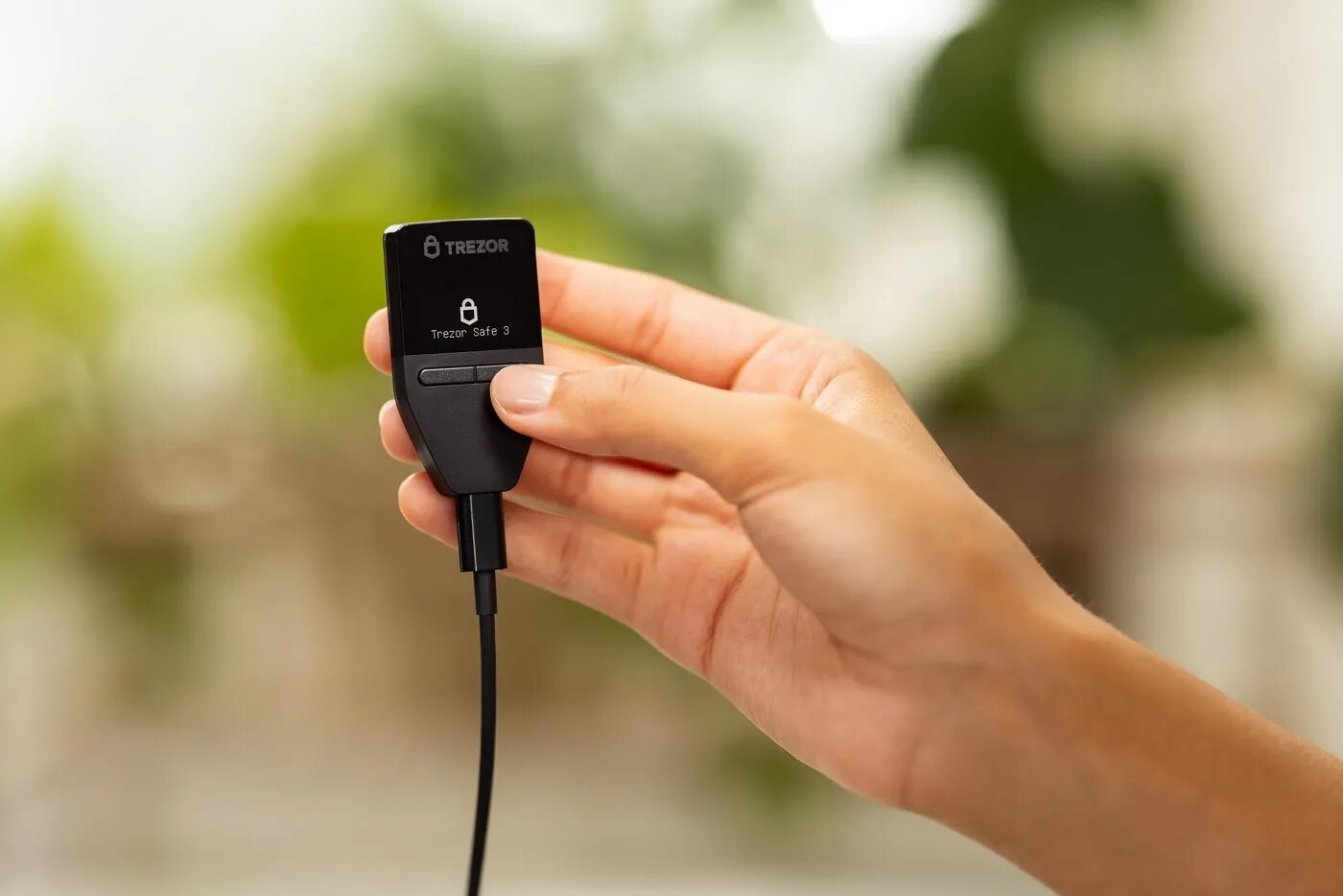
Setting up The Trezor Safe 3
The setup process of the Trezor Safe 3 device is straightforward. Here’s a concise overview:
1. Unboxing and Connection:
Start by unboxing the device, which includes the hardware wallet, a USB-C cable, and essential documents. To initiate the setup, the device’s tamper-proof holographic security seal is removed to reveal the USB-C port.
2. Connection to a Computer:
The device is then connected to a computer using the provided USB-C cable. This connection serves as the bridge for installing necessary software and configuring the device.
3. Trezor Suite Software:
You’ll then be prompted to visit the Trezor website to download the Trezor Suite management software. This software is compatible with both Windows and Mac operating systems. The straightforward installation process ensures that the wallet can be efficiently managed from a desktop or laptop.
4. Firmware Update:
After connecting the device, perform a firmware update which ensures it’s running the latest software, enhancing security and functionality.
5. Wallet Creation:
You have the option to create a new wallet, and you can choose between a standard 12-word wallet or a more secure Shamir backup, which involves multiple word lists for added security. You are also encouraged to create a backup for the wallet, although this step can be skipped (not recommended for security reasons).
6. Activation of Coins:
After the wallet is set up, you can select which cryptocurrencies you want to activate and manage within the Trezor Suite.
Is Trezor Safe 3 Good for Beginners?
The Trezor Safe 3 hardware wallet is great for newcomers venturing into the complex world of cryptocurrencies.
Several features make it intuitive and beginner-friendly, such as;
Simplified Setup
Setting up the Trezor Safe 3 is straightforward and hassle-free. The accompanying Trezor Suite management software offers a step-by-step guide, making it easy for newcomers to connect their devices, create a wallet, and start managing their crypto assets.
Intuitive Interface
Trezor Suite, the desktop application that pairs with the Safe 3, presents a clean and user-friendly interface. It provides a dashboard that displays the user’s portfolio, supported assets, and a checklist of essential security features. Additionally, a “Discreet mode” enhances privacy by obscuring balances and transaction details until interacted with, which is a nice plus.
Comprehensive Guidance
Trezor Suite offers valuable educational resources and guidance within the application. Newcomers can access tutorials that explain the device’s two-button user interface and the importance of backups. The app encourages users to create backups of their wallets, emphasizing data protection best practices.
Privacy Features
The wallet supports privacy-enhancing features, like Tor and Coinjoin, for Bitcoin transactions, increasing privacy while interacting with cryptocurrencies.
Is the Trezor Safe 3 Legit?
Trezor devices are considered some of the most secure hardware wallets in the crypto world and the Safe 3 is no exception.
The device comes with a certified isolated chip that ensures sensitive data, such as the device’s pin and recovery seed, remain private and secure against potential cyber threats. This chip is built with a secret key that can decrypt your device’s recovery seed, but it doesn’t have access to your password or recovery seed.
The inclusion of this secure element adds an extra layer of security, which is reassuring for newcomers who might be concerned about the safety of their assets.
Supported Cryptocurrencies
The Trezor Safe 3 supports over 8,000 cryptocurrencies, including a wide range of major cryptocurrencies such as Bitcoin, Ethereum, XRP, BNB, Litecoin, and a variety of other altcoins. Trezor continually updates its supported assets, and new cryptocurrency integrations are added to its wallet regularly. However, the exact number of supported cryptocurrencies may change over time as the platform introduces new additions and delists older assets.
Check the official Trezor website or the Trezor Suite application for the most up-to-date information on the currently supported cryptocurrencies.
Conclusion: An Extremely Solid Crypto Wallet
The Trezor Safe 3 is an excellent choice for newcomers in the cryptocurrency space, offering simplicity and security. Its user-friendly setup, intuitive interface, and educational resources make it accessible to beginners.
Perhaps the biggest downside is that it doesn’t interface with iOS devices, such as iPhone so that can be a potential turn off.
The device’s secure element enhances protection, while support for multiple cryptocurrencies and privacy features entice users. However, the optional backup setup may concern some users.
For those new to cryptocurrency, don’t skip the step of setting up a backup to your seed phrase even though it’s listed as optional.
Also, to maximize this hardware wallet’s potential, always keep abreast of updates and best practices in the ever-evolving crypto landscape.